“It takes a village to raise a child”

A community of parents, for parents

Coming soon App Store Coming soon Google Play
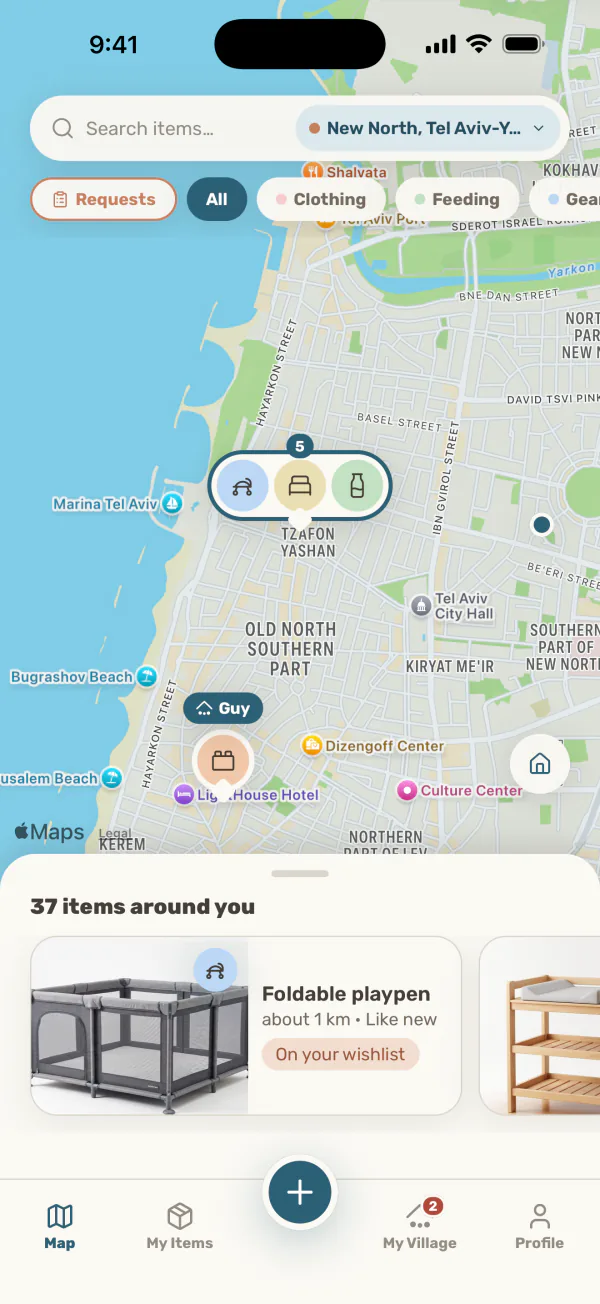
The map screen in the app: pins for parents giving gear away nearby, each pin showing the categories that parent is giving. Map background: Apple Maps

Simple, quick and easy

1

See what's nearby

Every item comes with a photo, its condition, the age it suits and how far away it is.
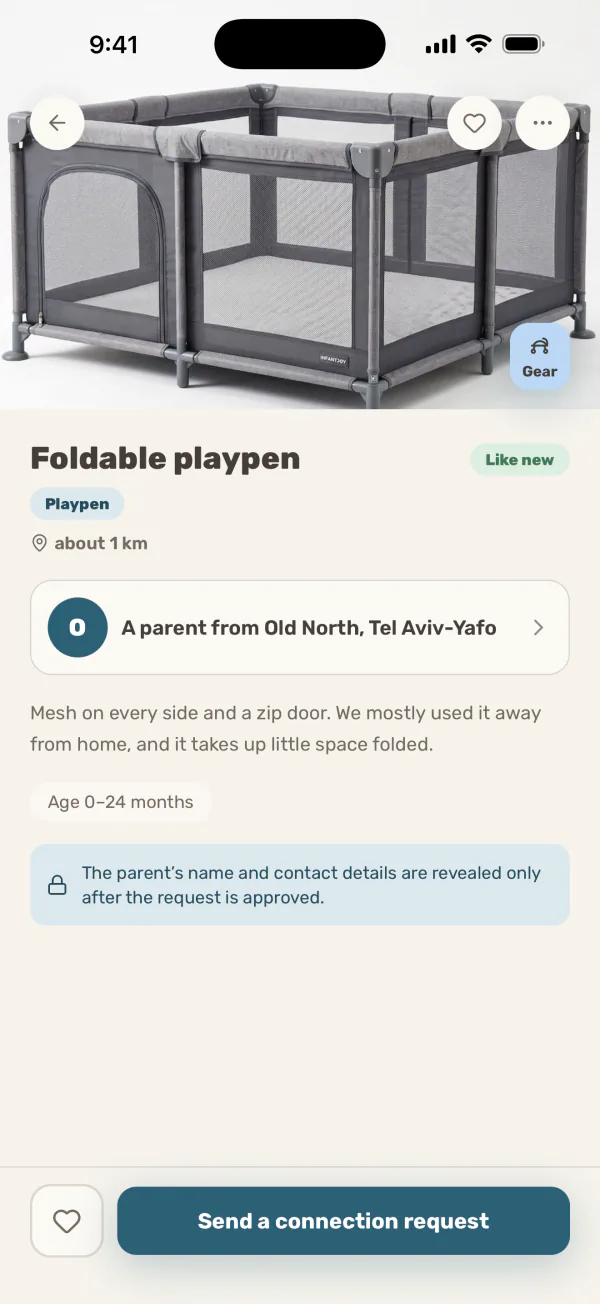
The item screen in the app: the item's photo, its condition, the age it suits and how far away it is, and a button to send a connection request
2

Give away what you no longer need

Pick a category, fill in the details, add a photo and you're done!
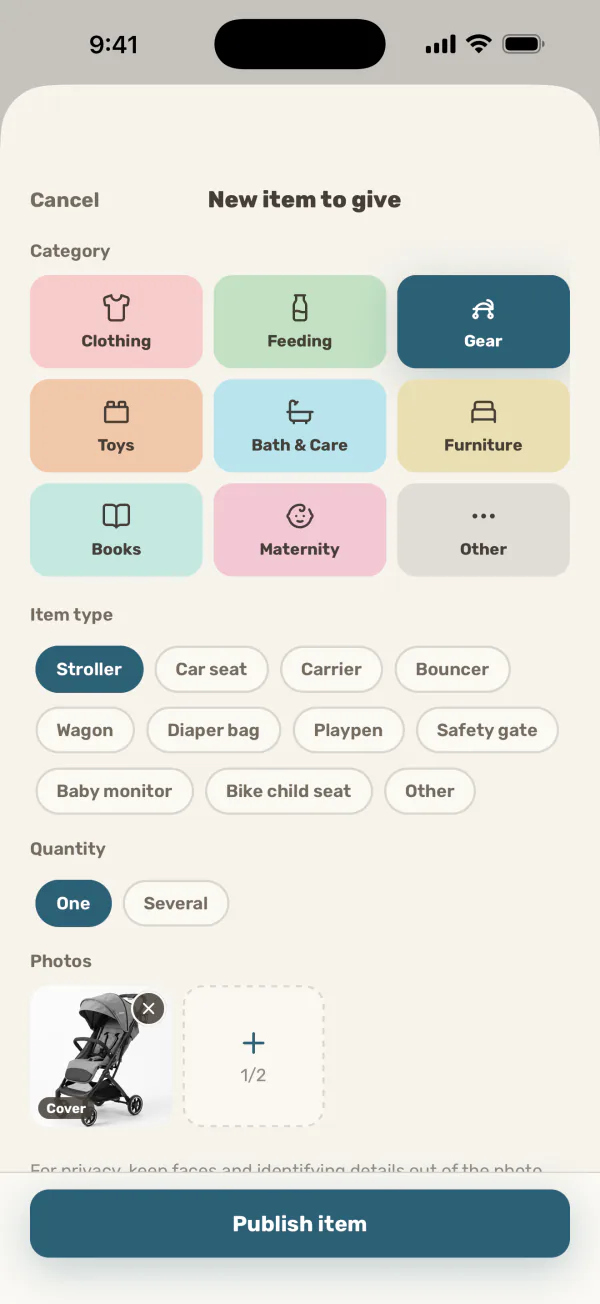
The add-item screen: a colour-coded grid of categories to choose from
3

Ask for what you need

Send that parent a request, and wait for approval.
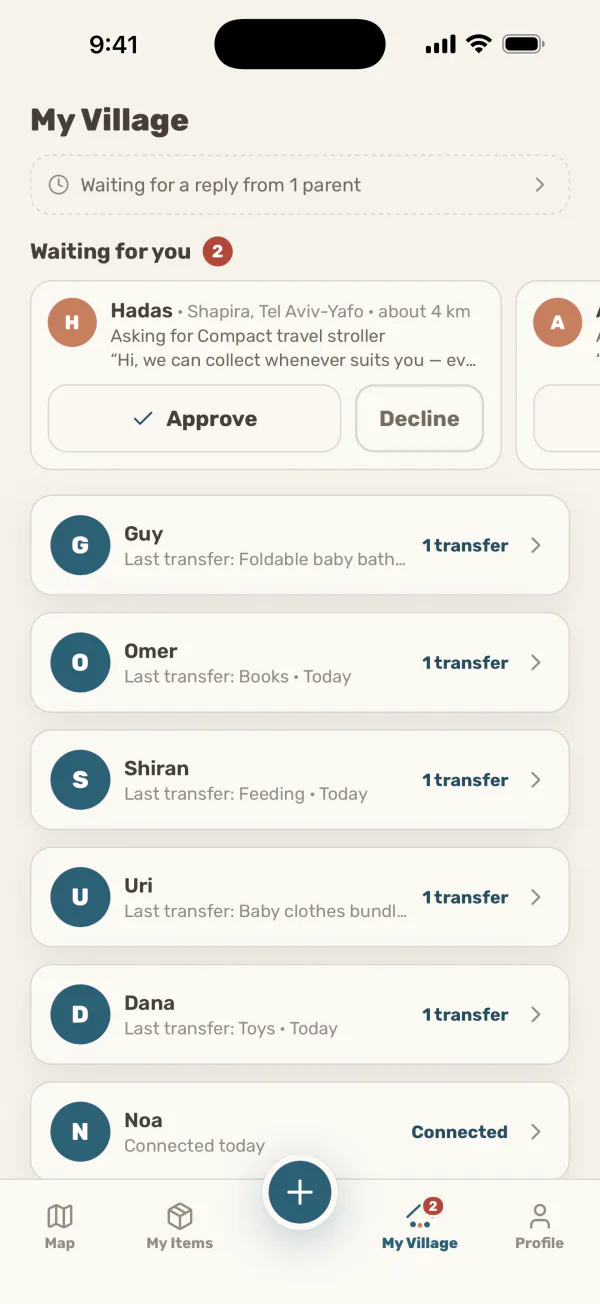
The My Village screen with an incoming request: the parent’s name, area and distance, the item they’re asking for and their message, and the approve and decline buttons
4

Arrange it and meet

On approval, contact details are revealed to you both, and the conversation carries on directly between you.
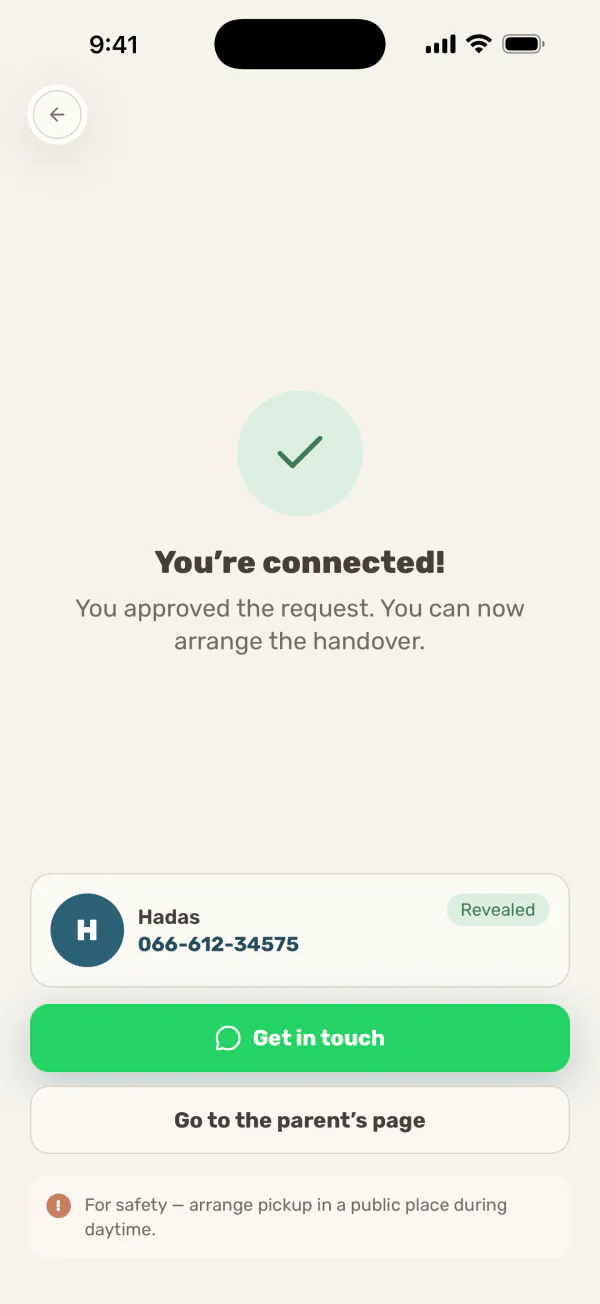
The “You’re connected!” screen after approving: the parent’s name, their newly revealed phone number, and buttons to get in touch and to open the parent’s page

Village is launching in Israel

Coming soon to iPhone and Android.

Coming soonApp Store Coming soonGoogle Play